
Tizi Cute Kitty: Pet Cat Games
Tizi Town GamesEducational
3.294.00 Reviews
- Version
- 2.5.0
- Installs
- 5.00M
- Age Rating
- Everyone
Screenshots
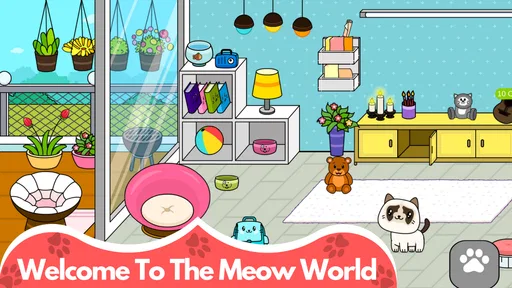
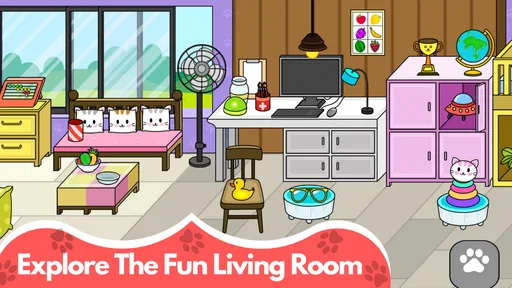
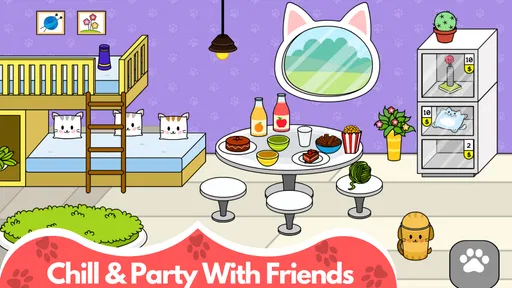
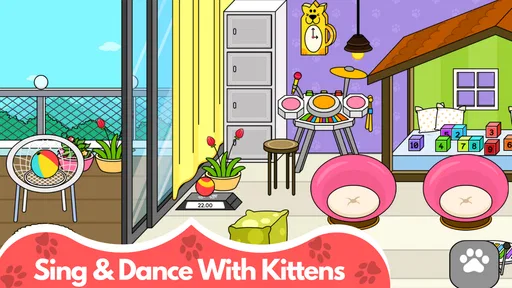
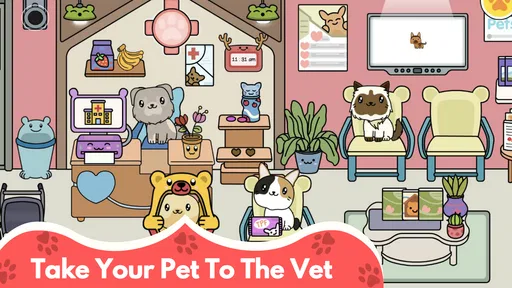
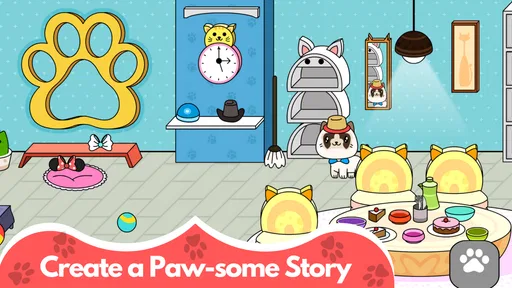
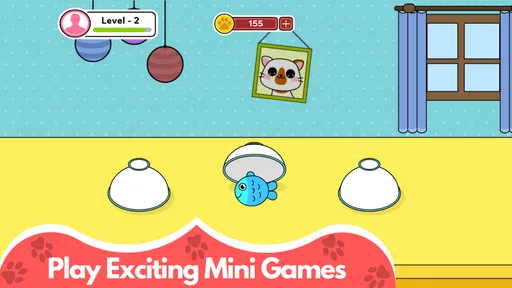
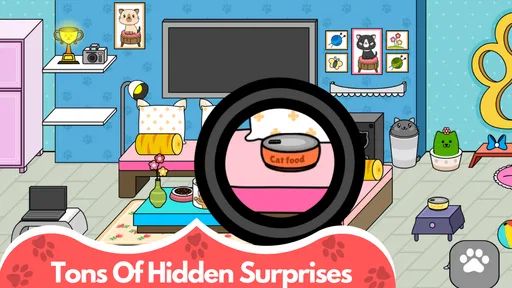
Our Review of Tizi Cute Kitty: Pet Cat Games
 Analysis by Appyee
Tizi Cute Kitty: Pet Cat Games is the kind of educational game I open when I want something gentle, colorful, and easy to understand rather than a demanding challenge. Developed by Tizi Town Games, it places the focus on cute cat-themed play and room decoration, so the appeal comes from choosing, arranging, and interacting at a relaxed pace. I found it most suitable for children who enjoy pretend play and creative spaces more than scores, timers, or complicated rules.
The game is free to start and is rated Everyone, which makes it approachable for family use. It runs on Android 7.0 or later, and the current version is 2.5.0. Its average rating is 3.2 from around 7,200 ratings, while its reach has grown beyond 5 million installs. Those figures suggest a large audience, but they also give me a useful warning: this is not a universally loved experience, so expectations matter. It works best when treated as a small creative toy, not as a deep educational course or a long-form adventure.
How the cat-town play loop feels in practice
I find the play loop works best when I give it a small, concrete purpose: choose one part of the cat-themed space to focus on, make a few changes, and pause to look at the result. That keeps open-ended play from turning into aimless tapping, while leaving room for a child’s own ideas. The next thing I’d check is whether the device and initial setup make that simple routine comfortable.
The first action is choosing what to change
My first useful action in this game is not solving a puzzle. It is deciding what kind of small scene I want to create. The cat-town setting gives the experience a clear theme, while the room-design angle encourages me to look at a space and think about how its objects, colors, and characters should fit together. That makes the opening feel more like entering a dollhouse than beginning a traditional level.
This is important for younger players because the game communicates through visible objects and direct interaction. Instead of asking a child to understand a long tutorial, it invites them to explore the room and see what happens when they make a choice. I like that low-pressure beginning. A child can start by changing the appearance of a space, moving through the cat-themed environment, or trying the available activities without needing to memorize a set of rules first.
The trade-off is that the freedom can feel less focused than a conventional educational game. In a spelling app, the next task is obvious. In a math game, the correct answer usually creates a clear target. Here, the player has to supply some of the purpose. Parents may need to suggest a simple mission, such as creating a cozy room for a particular kitty or arranging a space around a color theme. That small prompt turns open-ended play into a more satisfying activity.
Feedback comes from visible changes rather than scores
The feedback rhythm is built around immediate visual response. I make a choice, the room or scene changes, and that change tells me whether I like the result. The reward is not primarily a number on a scoreboard; it is the feeling that the space now looks different because of my decision. For children who enjoy arranging toys or decorating pretend rooms, that response can be more meaningful than a badge.
This approach also makes the game easy to share. A child can show a parent what was changed and explain why a certain arrangement feels better. That creates a natural conversation about color, order, personal taste, and storytelling. For example, a parent might ask why a kitty belongs in one room rather than another, or what the room needs to feel more comfortable. The game does not have to carry the entire learning experience by itself; it can provide the visual prompt for a short creative discussion.
Still, the feedback is less useful for children who need clear progress markers. If a player expects a chain of increasingly difficult tasks, the decorating response may feel too soft. The game does not replace structured practice in reading, arithmetic, or logic. I would describe its educational value as informal: it supports decision-making, imaginative play, and simple organization, rather than teaching a defined school subject.
Why the reward encourages another short session
The strongest reward is the completed scene. Once I have adjusted a room or spent time with the cat-themed activities, I can look at the result and feel that the space belongs to my choices. That sense of ownership is what makes another session tempting. I may return not because the game demands it, but because I have another idea for the room.
This is a healthier loop for a child who enjoys creative repetition. The same basic activity can feel different when the goal changes: one session might focus on making a room playful, while another might aim for a calmer arrangement. The reward comes from comparing the result with the idea I had before starting. That is a small but useful design strength, because it lets the player create personal goals without requiring competition.
There is also a practical benefit for adults. A short play session can be easy to fit into a quiet afternoon, a waiting period, or a transition between activities. I would not use it as a substitute for outdoor play or hands-on crafts, but it can serve as a contained digital version of rearranging a pretend room. The child can begin quickly, make a few choices, and stop after reaching a satisfying result.
Free access makes that first experiment straightforward, but families should pay attention to the in-app purchase range. Optional items cost from $1.99 to $9.99 each. I recommend checking purchase controls before handing the device to a child, especially if the child is likely to tap attractive additions without understanding that they involve real money. The free starting point is useful, but the full experience may invite spending depending on what the player wants to access.
The reset is part of the appeal, not a failure
One of the most useful ways to understand this game is to see each session as a resettable creative exercise. A room can be approached with a new idea, and the player does not need to preserve one perfect arrangement forever. That makes experimentation less intimidating. If a choice looks awkward, I can treat it as part of the process and try a different direction.
This reset also helps explain why the game may appeal more to younger children than to adults looking for a complex simulation. The experience is not asking me to manage a long-term town economy or protect a carefully developed character. Its value is in the immediate scene: choose something, see the effect, enjoy the result, and begin again when a new idea appears.
For parents, that reset can become a simple routine. I might suggest a theme before play, let the child build freely, and then ask what they would change in the next session. That creates a beginning, middle, and end without turning the game into homework. It also gives the child a reason to explain choices rather than tapping randomly through the environment.
The limitation is that players who want lasting unlocks, strong narrative progress, or increasingly difficult challenges may feel that the reset removes motivation. There is less pressure to return for a specific achievement. The next session begins because the child wants to create or explore again. That is pleasant for imaginative play, but it may not hold the attention of a child who quickly needs new rules and goals.
Practical ways I would use it with a child
I would begin by offering one concrete challenge instead of simply saying, “Go play.” A useful example is: create a room where the kitty can rest, then explain which choices make it feel comfortable. Another is to choose two colors and see whether the child can make the room feel cheerful without making it visually confusing. These prompts add purpose while leaving the creative decisions to the player.
A second approach is to use the game as a storytelling starter. After arranging a scene, I would ask what the kitty is doing there, who might visit, and what should happen next. The game’s cat-town theme gives children an easy character to talk about, while the room provides a setting. This turns decoration into language practice without pretending that the app is a dedicated reading tool.
A third tip is to set a stopping point before opening the game. Because the activity is open-ended, a child may keep making small changes without noticing how long they have been playing. I find it easier to say, “Let’s finish one room and show me your favorite choice,” than to interrupt an undefined session. The completed scene becomes a natural endpoint, and the child has something specific to discuss.
I would also keep expectations realistic around learning. The game can encourage creativity, visual organization, and pretend play, but I would pair it with books, physical building toys, drawing, or structured educational apps when the goal is a measurable academic skill. That combination makes better use of its strengths instead of asking it to do a job it was not designed to handle.
Where it fits among similar children’s games
Compared with puzzle-focused educational games, this one feels more open and less corrective. There is no need to worry about a wrong answer ruining a round, which can be reassuring for a child who becomes frustrated by failure. The cat theme also gives it more personality than a plain collection of exercises. On the other hand, a puzzle game will usually provide clearer goals and a stronger sense of improvement from one stage to the next.
Compared with digital dollhouses or broad pretend-play worlds, the room-design focus makes this experience easier to approach. A child can understand the basic idea quickly: interact with a cute cat setting and shape the space around it. The narrower theme is a strength for younger players who might feel overwhelmed by a large virtual world. It becomes a weakness for older children who want more systems, exploration, or storytelling depth.
Compared with drawing apps, the game offers more context because the player is working inside a kitty-themed environment rather than starting with a blank canvas. That can help a child who wants creative freedom but does not know what to draw. Drawing apps remain better for children who want precise control over lines, shapes, and original artwork. Here, the creativity is guided by the available world and its design choices.
In my view, the best comparison is not to a formal lesson but to a digital pretend-play box. It gives the child a setting and a set of choices, then lets imagination fill in the rest. That is why the game can be enjoyable even when the educational content is light. It supports the kind of learning that happens through choosing, arranging, describing, and trying again.
Who should try it, and who should skip it
I would recommend it to younger children who love cats, room decoration, and gentle interactive play. It is also a reasonable choice for parents looking for a simple activity that a child can understand without a long explanation. The Everyone rating supports its broad accessibility, while the free entry point makes it easy to test before deciding whether the available content suits the family.
It may work particularly well for a child who enjoys making small changes and showing the results to someone else. The game gives that child a visual project, and the adult can extend it with questions or storytelling. It is less compelling for a player who wants competition, timed action, complex strategy, or a clear academic curriculum.
I would skip it if the main goal is serious educational practice. A child preparing for a specific school skill will probably get more value from an app designed around that subject. I would also look elsewhere for an older child who quickly loses interest in repeated decorating and pretend-play sessions. The cute presentation is central to the experience, not a thin layer over a deep simulation.
Families should also consider the purchase setup. Since individual in-app items range between $1.99 and $9.99, I would review device purchase protections and decide in advance whether any spending is allowed. That is not a reason to reject the game, but it is part of using a free children’s title responsibly. The most relaxed experience comes when the child knows the boundaries before play begins.
Device fit, access, and everyday convenience
The minimum requirement of Android 7.0 or later makes the game accessible on many older Android devices, although the actual comfort of play will still depend on the phone or tablet’s screen size and performance. I prefer using a tablet for room-design activities because larger visuals make it easier for a child to notice objects and make deliberate choices. A small phone screen can work, but it may make shared play less comfortable.
The developer is Tizi Town Games, a name associated here with this child-friendly town and pretend-play style. The release date was May 7, 2020, and the current version is 2.5.0. I mention those details because they help place the game in context: it is an established title rather than something that has just appeared, but its appeal still depends more on the simple cat-world loop than on being a new technical showcase.
With around 94 written reviews, the average rating of 3.2 gives me a balanced reason to try before committing emotionally or financially. I would not interpret the rating as proof that the game is poor; open-ended children’s games often divide players because some want more content while others enjoy the simplicity. I would treat the free version as a test of fit, watching whether the child actually returns to create another scene rather than merely tapping through the first few minutes.
My verdict on the action-feedback-reward-reset loop
The loop is easy to describe: I choose an activity or design decision, see the cat-themed space respond, enjoy the result, and return later with another idea. Its action is accessible, its feedback is visual, and its reward is a room that reflects the player’s choices. The reset keeps experimentation safe, but it also means the game does not build toward the kind of dramatic progression found in more structured alternatives.
That balance is exactly why I would recommend it selectively. For a young child who wants a cute, calm place to arrange rooms and invent small stories, it can be a pleasant creative break. For a child who needs clear lessons, increasing difficulty, or competitive goals, another educational game will probably be a better match. The key question is whether the child enjoys creating a scene more than completing a task.
My final opinion is positive but measured. I like the approachable cat-town concept, the gentle feedback, and the way a finished room can become the reason to talk, imagine, and try again. I also think the limited challenge and possible purchase prompts deserve attention. If you approach it as a small digital playset rather than a complete learning program, Tizi Cute Kitty: Pet Cat Games has a clear purpose and can fit nicely into short, supervised creative sessions.
Verdict
Strengths of Tizi Cute Kitty: Pet Cat Games
- Simple controls make it easy for young children to play independently.
- Cute animations and sound effects create a cheerful, friendly atmosphere.
- Short activities are suitable for quick play sessions.
- Pet-care tasks encourage gentle, caring interactions with the virtual cat.
- Bright visuals are easy for children to understand and follow.
Limitations of Tizi Cute Kitty: Pet Cat Games
- Some activities may feel repetitive after extended play.
- Progression can be limited for older children seeking more challenge.
- Frequent prompts or ads may interrupt gameplay in the free version.
- Several items and features may require in-app purchases to unlock.
- The app may use considerable storage on devices with limited space.
Other Releases by Tizi Town Games
View All
Tizi Town - Pink Home Decor
Educational3.9

Tizi Modern Home & Room Design
Educational4.2

My Hospital Town Doctor Games
Educational3.5
Similar Picks in This Category
View All
Little Panda Policeman
BabyBus4.0

Monster Trucks Game for Kids 2
Raz Games4.1

Little Panda's Chinese Recipes
BabyBus4.4

Little Panda's Restaurant
BabyBus4.4

Little Panda's Ice Cream Games
BabyBus4.3

Baby Panda Care
BabyBus3.8
Frequently Asked Questions
What is Tizi Cute Kitty: Pet Cat Games about?
Tizi Cute Kitty: Pet Cat Games is a child-friendly virtual pet experience where players care for an adorable animated cat and explore colorful locations. You can feed the kitty, play mini-games, complete simple activities, customize parts of the environment, and interact with objects through tap-based controls. It is designed mainly for young children who enjoy pretend play rather than complex challenges or competitive gameplay.
Is Tizi Cute Kitty: Pet Cat Games suitable for children?
The game is aimed primarily at children and uses bright visuals, simple interactions, and easy-to-understand activities. Younger players can usually begin playing without extensive instructions, although parents may still want to guide them during the first session. Because the available content, advertisements, and purchase options can vary by device or version, adults should review the app’s store information and parental-control settings before allowing independent play.
Does Tizi Cute Kitty: Pet Cat Games require an internet connection?
Many of the basic pet-care and exploration activities may be available after the game has been installed, but certain features can depend on the version of the app, advertising services, or downloadable content. For the most reliable experience, it is best to launch the game once while connected to the internet and let any required files load. Offline availability should be confirmed on your device after installation.
Is Tizi Cute Kitty: Pet Cat Games free to download?
Tizi Cute Kitty: Pet Cat Games is generally offered as a free download, allowing families to try its main activities without paying upfront. However, free versions of children’s games may include advertisements, optional purchases, locked areas, or additional content. Check the Google Play Store or Apple App Store listing carefully for current pricing, in-app purchase details, and subscription information before downloading or handing the device to a child.
What devices can run Tizi Cute Kitty: Pet Cat Games?
The game is available for supported Android and iOS devices, but compatibility depends on the operating-system version, available storage, and the specific release published in your region. It may perform best on relatively recent phones and tablets with enough free space for installation and updates. Before downloading, check the official store page for the latest system requirements and make sure your device has a stable connection.
Play our best games!


